



Some phones, especially Xiaomi, Huawei, and Motorola, have built-in protection against unwanted messages. Unfortunately, important messages, such as confirmation SMS messages from the emergency call app, are sometimes mistakenly classified as spam and either hidden in the spam folder or not displayed to the user at all.
That’s why we’ve prepared instructions on how to find the spam/blocked folder and unblock the message.
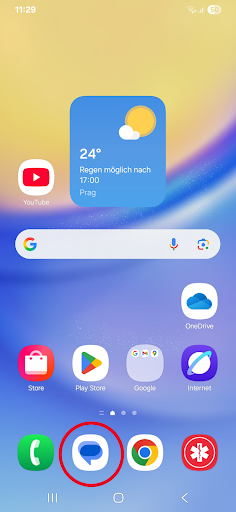
1) Open the Messages app.
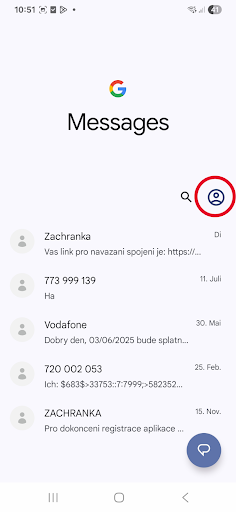
2) Right-click on the profile.
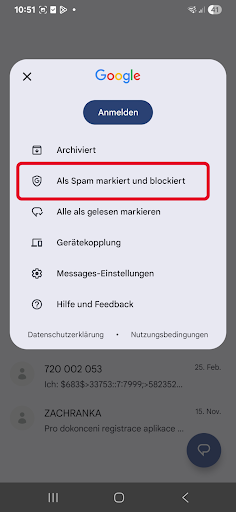
3) Select Spam and Blocked Messages.
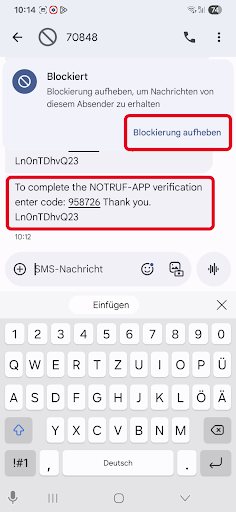
4) Open the message.
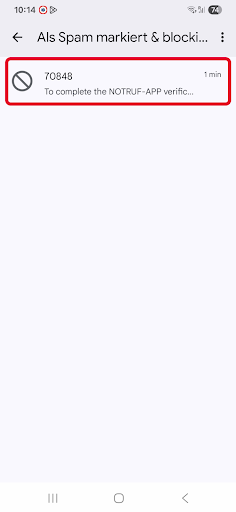
5) Select “Unlock” and use the code to confirm.